Dedicated read-only credentials
Create source-scoped PostgreSQL users that can query safely without write permissions to operational data paths.
Feature
Provision dedicated read-only PostgreSQL credentials per source for analytics, internal tooling, and reporting workflows that need direct query access.
Create source-scoped PostgreSQL users that can query safely without write permissions to operational data paths.
Connect BI tools, scripts, and internal dashboards to source data with familiar PostgreSQL query workflows.
Issue and rotate access details intentionally so connection management remains secure and auditable.
Some teams need more than API-level consumption when building analytics, reporting, or data QA tooling. Optional read-only PostgreSQL access supports these workflows by exposing source data through dedicated credentials that cannot mutate records.
This gives analysts and technical stakeholders a familiar SQL path without compromising runtime data integrity.
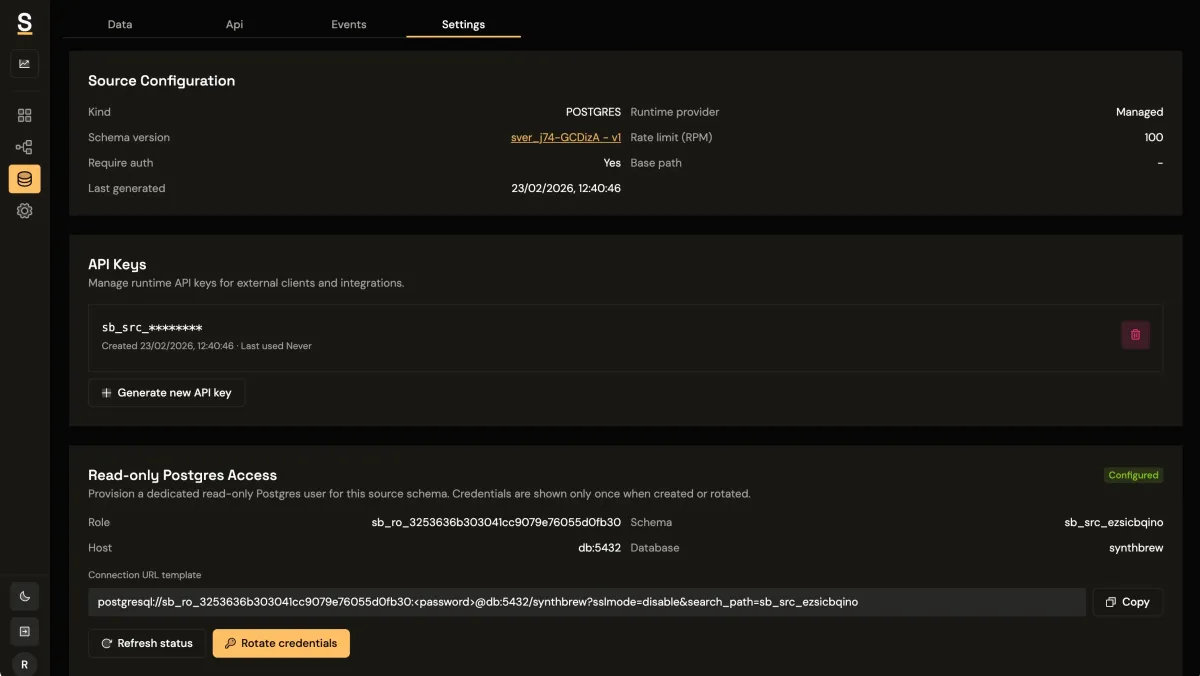
Read-only users are provisioned per source, which helps teams isolate access and avoid broad database exposure. Credentials can be managed according to environment and rotated as needed, keeping operational boundaries clear across development and staging workflows.
This model is especially useful when multiple products or business units share the same platform.
Direct SQL access is valuable when teams need ad hoc validation, metric checks, or integration with existing analytics pipelines. QA can inspect generated datasets quickly, product teams can validate assumptions with targeted queries, and BI teams can connect familiar tools without waiting for custom exports.
Because access is read-only, these workflows stay low risk while still offering high flexibility.
Providing a controlled SQL layer reduces friction for advanced users and expands how synthetic datasets can be used across the organization. Teams gain faster insight loops, better auditability, and more confidence that data exploration will not interfere with application behavior.
See how this capability fits with other workflows in the features overview and compare supported plan options on pricing.
Use this playbook as your starting point, then compare other solution tracks or plan limits for your rollout.